There is one question that every single client of mine -- big or small -- asks me about Google Accounts: "How do I know which account I am signed into?"
My clients tell me that when they have more than one Google Account -- and who doesn't? -- it becomes super confusing to use them: they often wind up creating files or trying to access files from the account they didn't mean to be logged into. How can you avoid this?
Tips for end-users and small businesses:
💎 KloudGem 1: First of all, let me show you how you can check the Google Account you are signed into: if you are in Chrome, click the bigger avatar picture. That will show you the account you are in.

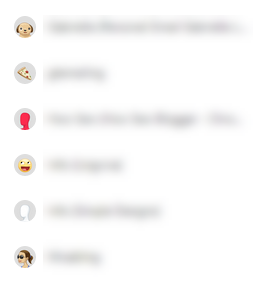
If you see any other account listed under your main avatar, there is a good chance for your accounts to get tangled, which could result in you -- seemingly -- not having access to files you previously did, or creating files in an account you didn't mean to create them in, etc. So do yourself a favor and keep your Google Accounts well separated by not using the "Add another account."
💎 KloudGem 2: If you are already showing multiple accounts in the above screen, opt to sign out (just make sure you know the passwords to each before doing that). And then sign into just one.
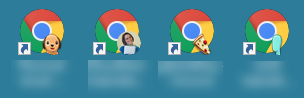
💎 KloudGem 3: Instead of "Adding another account," be consistent and either use a dedicated browser for each of your Google Accounts OR add another Chrome profile for each of your other Google Accounts (click the smaller of the avatars in Chrome and select Add). You can switch between Chrome profiles from the small avatar in Chrome, and on a Windows machine you can even create dedicated shortcuts on your Desktop as part of the setup process.
Tips for mid-size companies and large enterprises:
💎 KloudGem 4: To keep your company's information secure, make it part of your employee requirements and information security training that your users keep their work accounts and personal accounts well separated:
whether by not accessing personal emails from work computers, OR
making sure they use different browsers, OR
using an incognito window for personal accounts, OR
equipping them with the knowledge of how to create different Chrome profiles.
Pick a method that aligns with your company's information security requirements.
Need a Google Workspace expert for your organization's digital transformation and change management? Contact me for a free first consult: https://www.kloudgem.com/get-in-touch/contact
Do you know someone who could use these KloudGem tips? Feel free to send them this link: https://www.kloudgem.com/follow-resources/newsletter
KloudGem website: https://www.kloudgem.com